Affiliates
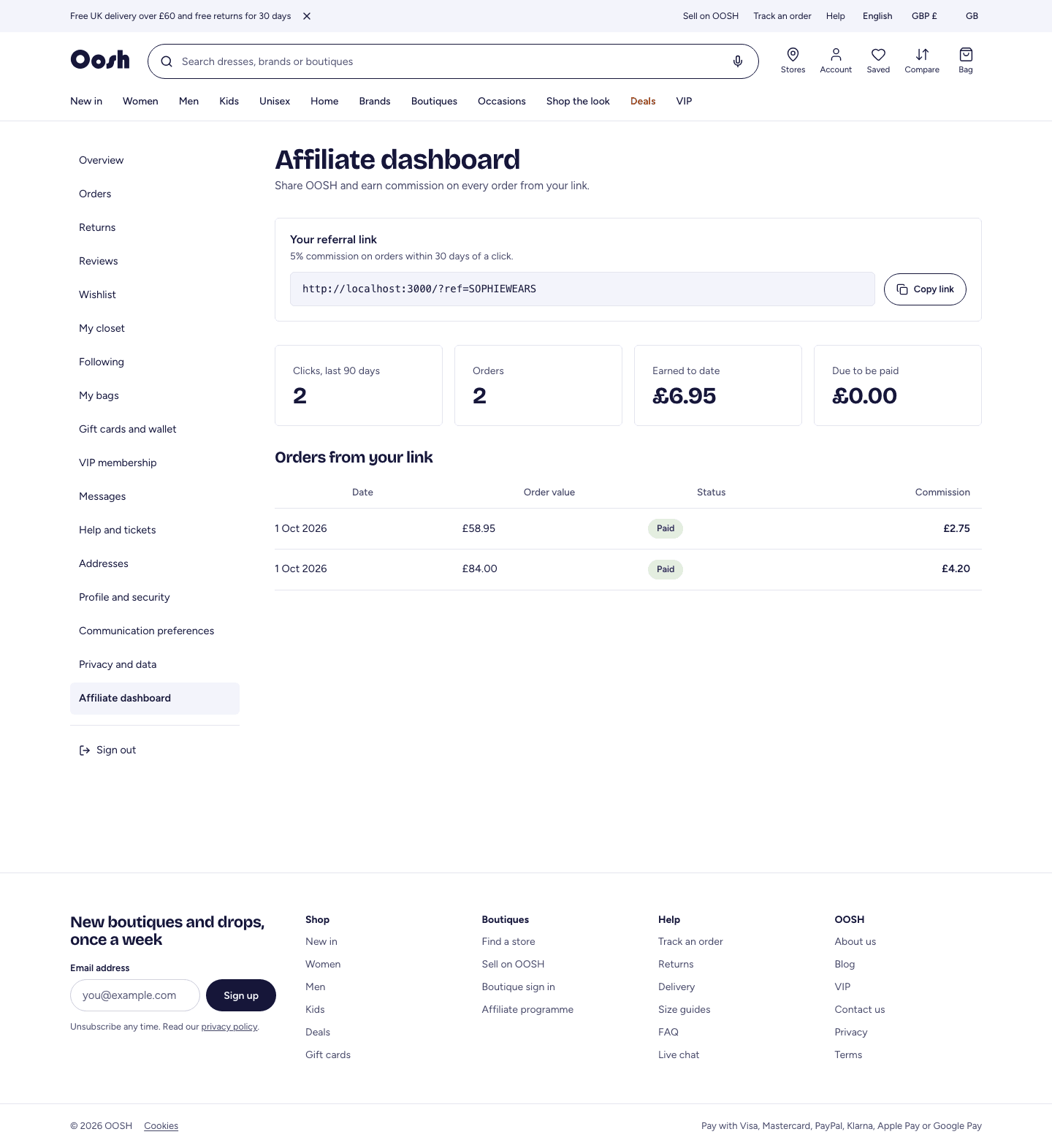
Affiliates earn commission when shoppers they refer buy on OOSH. Apply with your website or audience; once approved you get a referral link and a dashboard showing clicks, orders and earnings.
Who this is for: Approved referral partners — bloggers, creators and publishers.
Where to sign in: Apply at ooshfashion.com/affiliate, then manage everything under Account → Affiliate.
Step 1
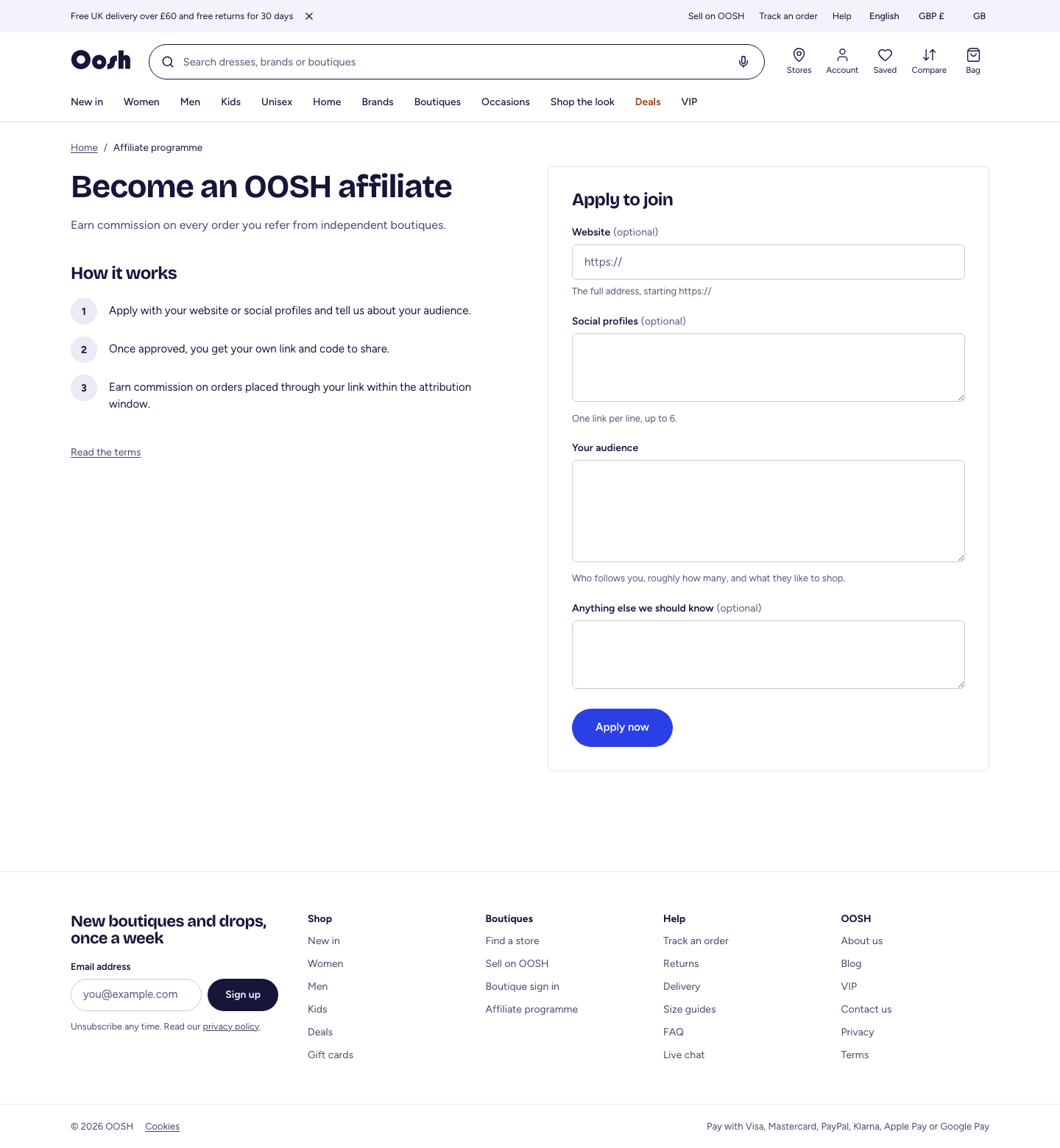
Apply to the affiliate programme
Tell us about your audience to get approved.
Shop → /affiliate
- 1Open ooshfashion.com/affiliate and select apply.
- 2Enter your website and a short description of your audience, then submit.
- 3OOSH reviews your application and emails you the decision. Once approved, your referral code is created.
Step 2
Your referral link and earnings
Share your link and watch it convert.
Shop → Account → Affiliate
- 1Open Account → Affiliate to find your referral link and code.
- 2Share the link anywhere. When someone follows it and buys, the sale is credited to you.
- 3The dashboard shows your clicks, referred orders, and the commission you have earned and been paid.